Students always know what's left before they print
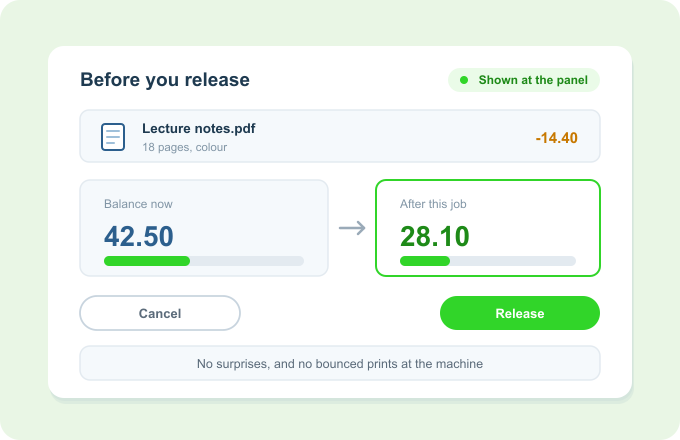
Print Director shows each student their current balance on their workstation or right on the printer's LCD panel, before they release a job. No surprises, and no wondering whether it will go through.
The balance is always in view, so a student never finds out at the worst possible moment.
The problem
Finding out at the worst moment
Students discover an empty balance only when a job won’t print.
No visibility means surprise blocks, frustration and help-desk queries.
Without a running number, students can’t budget their own printing.
Staff field “why won’t it print?” questions that a visible balance would answer.
Balance Visibility puts the number in front of the student before they commit.
How it works
The number's always in view
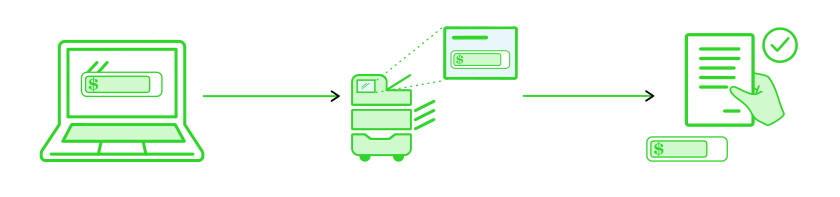
See it at the desk
The current balance shows on the student’s workstation.
See it at the printer
The balance also appears on the device’s LCD panel, before a job is released.
Release knowing it will go
With the balance in view, students release jobs with no guesswork.
Key Benefits
Why students and admins value Balance Visibility
No surprises
Students know where they stand before they print, not after.
Fewer help-desk queries
A visible balance answers the most common question on its own.
Self-managed budgets
Students can pace their own printing against a number they can see.
Confidence at the device
No wondering whether a job will bounce.
Works with what you already have
It surfaces the balance the rest of the system tracks
Shows the balance behind Pre-paid Student Accounts as it’s spent.
Appears on the same embedded device panel used for Secure Print Release.
Reflects the pricing and quotas applied elsewhere in Print Director, so the number is always accurate.