PRINT DIRECTOR | IMPORT MATTER CODES FROM EXTERNAL SOURCES
The right matter codes, always current, from wherever they live
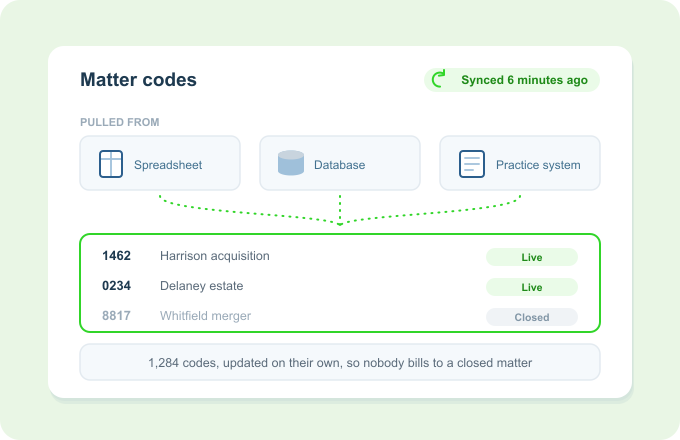
Print Director imports matter and project codes from almost any source and keeps them in sync automatically. Users always pick from live, current matters, without anyone maintaining a second list by hand.
Wherever your codes live, Print Director pulls them in and keeps them current, so there's no second list to babysit.
The problem
A code list that's always out of date
Maintaining matter codes by hand in a second system is slow and always lagging.
Users assign jobs to matters that have closed, moved, or don’t exist yet.
New matters aren’t billable in Print Director until someone remembers to add them.
Different source systems hold the codes, and none of them talk to print.
Importing keeps the code list live, wherever it comes from.
How it works
Pull from source, stay in sync
Point to source
Matter and project codes can be imported from almost any source, including your practice management system.
Codes come in
Current matters populate Print Director, ready for users to assign against.
It stays in sync
As matters change at the source, Print Director keeps up automatically.
Key Benefits
Why firms let Print Director pull the codes
Always-current matters
Users assign to live codes, not a stale, hand-kept list.
No double maintenance
Codes come from the source of truth, not re-typed into print.
New matters, ready fast
New codes appear for billing without manual setup.
Fits your setup
Imports from almost any source, whatever holds your codes.
Works with what you already have
It keeps the whole billing chain honest
Keeps the Matter / Project Code Popup stocked with current codes to choose from.
Complements direct Legal Practice Management integration where it’s available.
Underpins accurate Automatic Disbursement Billing against real, live matters.
Ready to keep matter codes current, automatically?